Today I’d like to talk about photo management. Every active photographer sooner or later has to deal with an ever increasing amount of photos. In case of digital photography this means thousands of photos on your hard disk up to the point where finding one specific photo can become almost impossible. This is where photo management software comes into play. Over in the Adobe world the solution is Lightroom which manages everything from tagging your photos to RAW development. But what if you, like me, do not like Adobe’s business model and are looking for a high quality alternative? Is photo management without Adobe software even possible? In this post I will talk about two programs that I have personally used and that I can recommend. These are XnViewMP (freeware) and IMatch (commercial). So let’s get started.

First I’d like to define what features a good photo management software should come with. For me these are the following:
- Tagging photos (XMP and IPTC tags)
- Ability to edit Exif data (Exif tags)
- Advanced filter functionality
- General management tasks like renaming, converting and deleting photos
- Ability to customize the functionality and appearance of the software according to my needs
- The software should be based on open standards, not proprietary keywords and the like that tie you to the program
- Compatibility with as much image file types as possible
- Needs to run locally, no server-client architecture like a lot of professional DAM programs
- The price must be reasonable, no subscription model
These are the features I expect from a decent photo management software. Of course these criteria are highly subjective, you may have entirely different needs. Nonetheless this comparison should be a good starting point for you to decide whether one of these two programs could be a solution for you. Without further ado, let’s look at the two programs.
XnViewMP

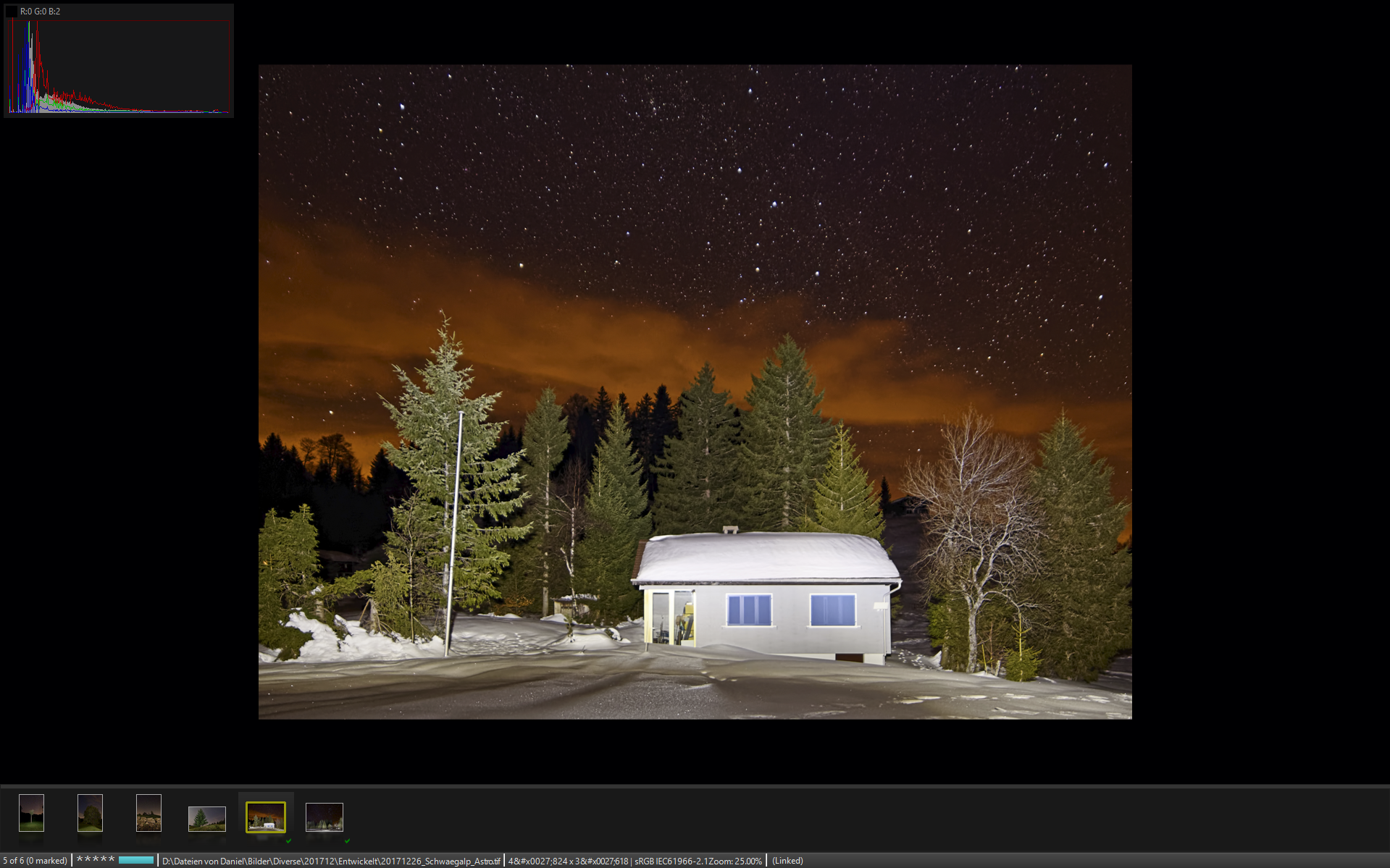
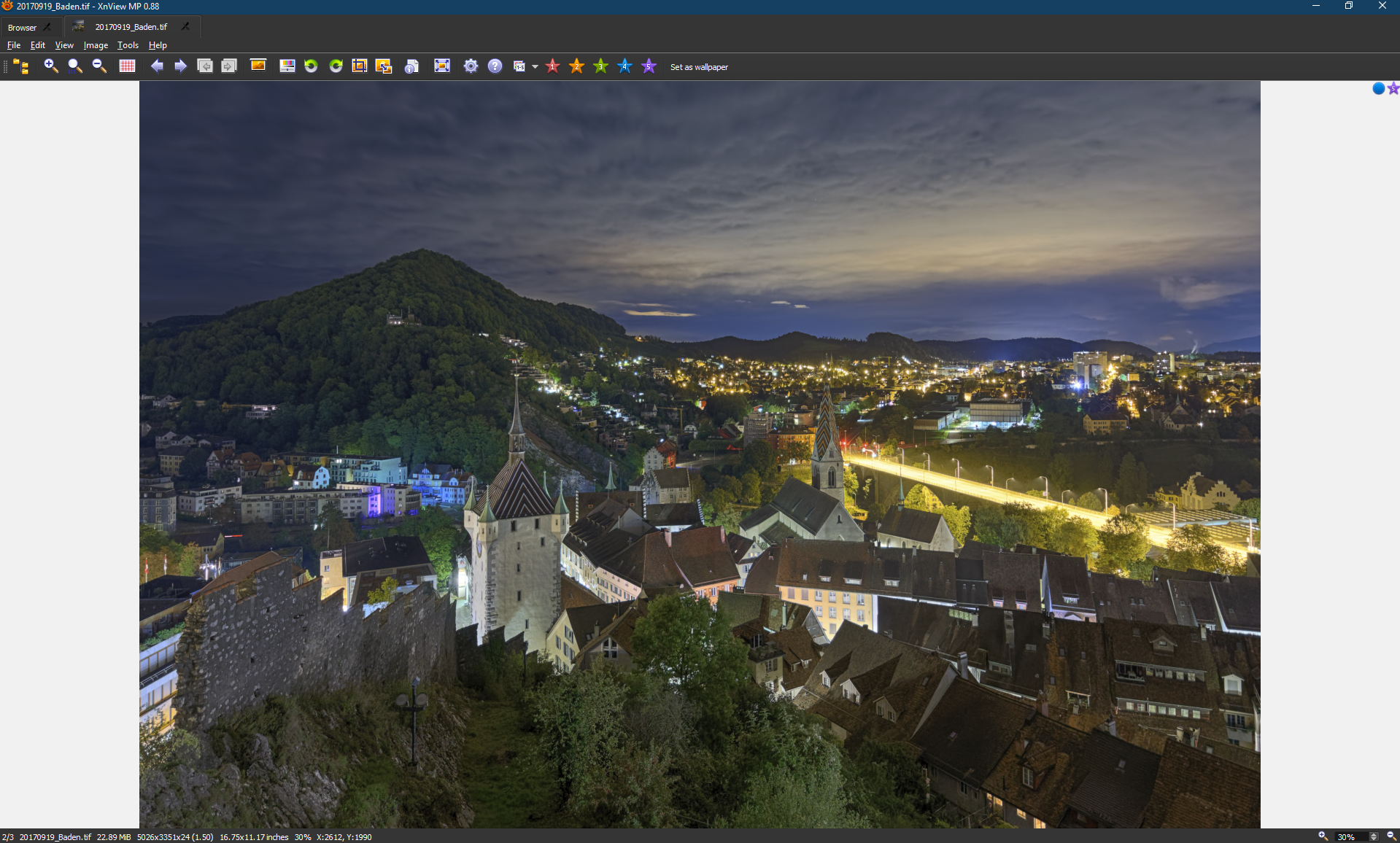
Let’s start with the freeware. XnViewMP (you can get it here) is the successor of the widely known XnView (Classic) which has been around for years. It supports literally every image file format one can think of and it also comes with fairly advanced cataloging features. The “MP” by the way stands for multi platform and means that XnViewMP is available for PC, Mac and even Linux. This by itself is definitely a strong argument since there are not many programs out there that support all three major operating systems for personal computers (there is even an Android version). If you are working with all three systems and need to access your image database from all your computers this might just be what you are looking for.
The user interface (UI) is functional, nothing too fancy but also not boring and certainly not outdated. It’s customizable to some extent and there are also many settings which let you adapt the software to your needs. You can change key mappings and mouse features, select color profiles, exclude certain file types from appearing in your image database, determine how specific tags are handled etc. In my opinion XnViewMP offers enough customization possibilities, even for advanced users. When I started photography XnViewMP was my sole software to manage all my photos and I never missed anything concerning its customizability.
Another positive aspect of XnViewMP is its speed. Browsing through your images is really fast and the program is generally very responsive. Even tagging your photos and saving the changes never takes more than a few seconds of your precious time. One reason for XnViewMP’s responsiveness is probably the fact that it does not work with a full-fledged database and image caching. Yes it does maintain a database for keywords but definitely nothing as sophisticated as Lightroom’s database. Apart from its responsiveness there is also another advantage in the fact that XnViewMP does not rely on a heavy database: Images do not need to be imported first. You can simply browse your folder structure and “dive” directly into the desired folder. Any import that might be necessary is done in the background and you can immediately start tagging your photos.
But of course where is light there is also shadows. The lack of a sophisticated database also means that there are simply not that many ways to filter your images, e.g. there is no easy way to filter your photos taken on a specific day, month or year. The best you get with XnViewMP is categories (based on hierarchical IPTC keywords), colors and ratings. While this is definitely enough for many people out there, others might argue that this is just too basic.
While the above mentioned restrictions are unfortunate there are other more important aspects that made me look for a more professional solution. The most important shortcoming of XnViewMP is the fact that Exif data is read only. There is no way to edit the Exif metadata within XnViewMP so in case there is something wrong with the Exif tags of a photo you have to use anther program to fix it (e.g. in case of manual lenses without electronic connections). In my opinion this is a major flaw that disqualifies XnViewMP for a lot of serious photographers.
Last but not least I also had some “technical” issues while using the software. Every now and then photos would show up twice or more which was annoying, especially since I’ve never found out what exactly was the reason for this behavior. And sometimes I had crashes while updating metadata for several photos at once that had already been tagged earlier. Fortunately I have never lost any data because of a crash, nonetheless such crashes are always annoying. I don’t want to blame XnViewMP or it’s developer for these “technical” issues as I don’t know if the cause for the problems was within the program’s code or if it was an issue with my system. But in the context of this comparison I deemed it necessary to mention the problems.
Now back to the positive aspects of XnViewMP. I certainly has its flaws but it also has its strong points. XnViwMP is a fantastic image viewer. It handles virtually any file format you throw at it which is why I keep the software on my hard disk. As of today I don’t know of any software out there that handles more image file formats than XnViewMP does. It comes with a very well made renaming feature which allows you to rename files based on Exif and other metadata. Plus there is a very powerful image converter that converts your images into almost any format that exists.
Conclusion
So is XnViewMP a good tool for photo management without Adobe products? Well it depends. If you have already organized your photos using well structured folders and file names this program might just be all you need. It’s lightweight (it even comes in a portable version that does not need installing), fairly easy to use but powerful at the same time. What’s more the fact that it’s multi platform developed is definitely a huge plus and hey, it’s free, who can compete with free? On the other hand it has it’s flaws of which the inability to edit Exif data is certainly the most important one, especially for photographers. This implies that many people who are looking for a more professional solution (like me) are maybe better off with a full-fledged, database driven Digital Asset Management solution like IMatch.
IMatch
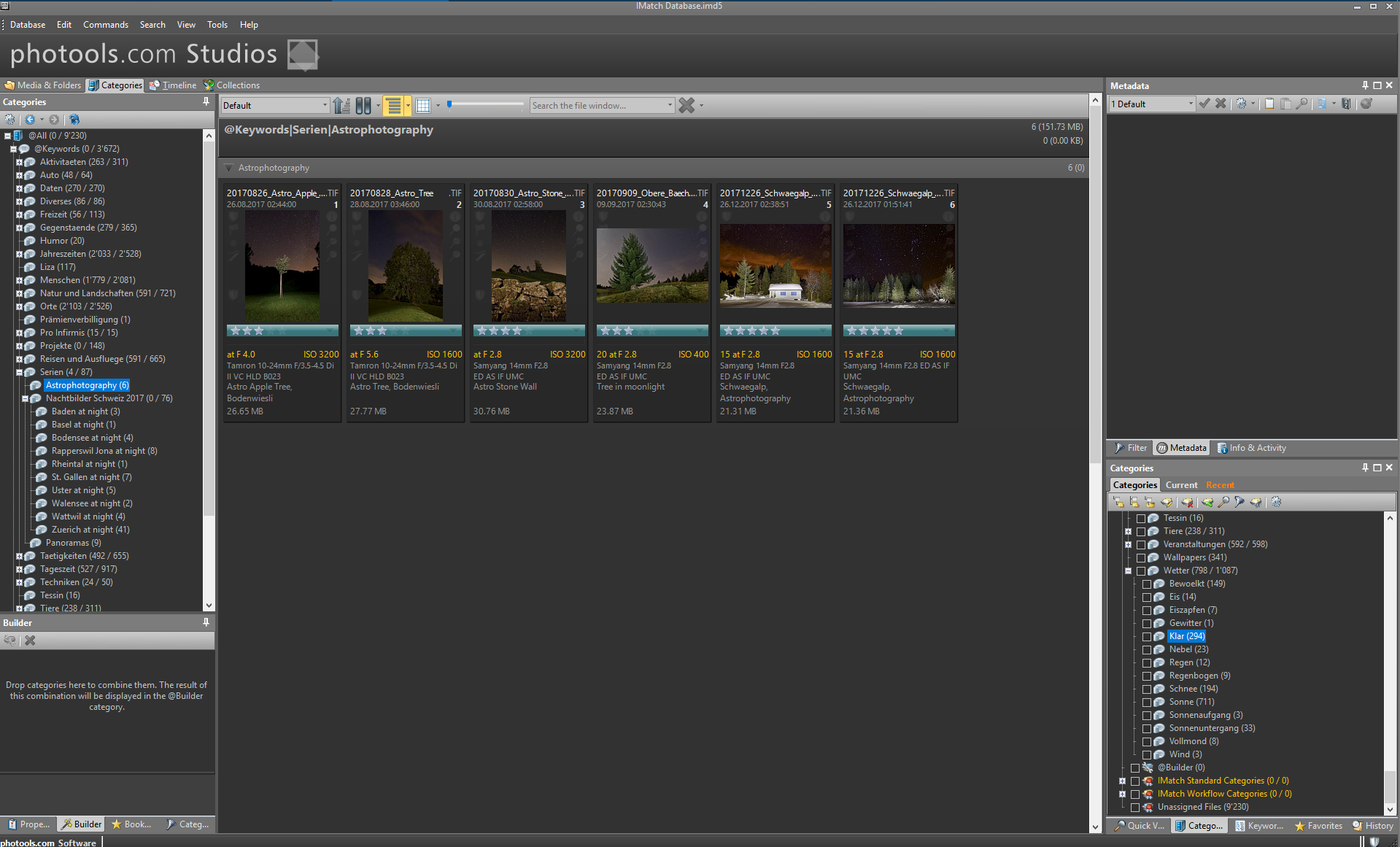
The second software in this comparison is a commercial product. IMatch by photools is priced at 109.99 USD for a single (home) license which is definitely an investment, especially for amateur photographers which are on a budget (who is not). But in contrary to Adobe’s business model this is a classical license, you pay once and are granted an non-expiring license. You get bug fixes but updates to the next major version will cost you again although at a reduced price. It’s also worth mentioning that IMatch is a full-featured Digital Asset Management (DAM) solution which not only works for photographers but also handles audio files, videos, documents etc. Sadly though the software is only available for Windows so no Macs or Linux here. But there is a loophole: With a IMatch Anywhere license you can set up a web server that let’s you access your database from anywhere within your network or even over the internet using a web browser.
While XnViewMP is more or less straight forward and can be mastered within minutes or hours at most, IMatch is a highly complex program. The very moment you start it up for the first time you realize that it is going to take months to learn all of its features. It comes with thousands of features, switches, dialogues and settings. You can customize anything, from the file types that are imported into the database to metadata templates that are applied automatically, you can even define which metadata is considered during the import and which is ignored. Luckily the software comes with a very comprehensive manual, the help system contains hundreds of pages and is well written, so far I’ve had no problems following it even though English is not my mother tongue.
Above I mentioned how quick XnViewMP is. In comparison IMatch is definitely slower. Because IMatch relies on a heavy database everything from browsing through your images to changing metadata takes it’s time. It’s neither unexpected nor annoying, it’s just the price you pay for all the features offered by this software . And while XnViewMP let’s you navigate through your folder structure like any file manager, IMatch needs to import the files before you can access them. This is not uncommon for a DAM software but it’s definitely less convenient than the XnViewMP approach.
Of course this database dependence also has it’s advantages. You have lot’s of possibilities to filter your images, from the lens used to aperture values, exposures time, categories, keywords, labels, ratings, colors… you name it. It even has a feature to search the database for images based on a quick drawing, e.g. you draw a face and IMatch brings up all photos with faces in it. I doubt that it’s really a useful feature but it’s a good example for the sheer amount of possibilities to catalog, manage and find your photos. There is also a versioning system which let’s you define (sub)versions of master files. For example you could have a master image (tiff) and several jpg files which were developed differently. You can now assign these jpg files to the master file (tiff) and tell IMatch that these jpgs are actually (sub)versions of the master image. Pretty cool if you like to generate different versions of the same photograph.
The tagging features of IMatch are simply superb. Like already mentioned this starts by letting you determine the metadata fields that are imported and the ones which are ignored. Then there are lot’s of possibilities to customize the panel that displays the metadata of your files and also let’s you change the values or add missing ones. You can edit virtually any metadata field imaginable, no matter if it’s an Exif, IPTC or XMP value. With IMatch you definitely don’t need a dedicated Exif editor anymore.
Since I’ve only been using IMatch for a few months I’ve yet to discover a lot of features and I’m sure that in the near future I’ll also learn more about its shortcomings. One issue that I’ve already encountered is the fact that the quality of the image viewer seems to be inferior to the one of XnViewMP. I cannot tell what it is, somehow the images look less vibrant, less sharp. But so far that does not disturb me since I can always tell IMatch to open the photos with whatever viewer I like, even XnviewMP. Another small issue that I’ve discovered so far is the absence of the ability to change keyboard mappings and mouse functions.
Conclusion
Does this mean that IMatch is a good tool for photo management without Adobe products? The short answer is: Yes, it is. The long answer on the other hand is somewhat more complex. IMatch is definitely a very powerful and comprehensive piece of software. But it’s only useful if the user also makes use of all the features. All the filtering and cataloging features do not help if the photos are not tagged correctly. And all the customizing possibilities are only worth something if someone is willing to take advantage of them and adapt the user interface to their needs. Since the price tag isn’t exactly cheap I’d suggest that you make use of the 30 day trial version to see if you really want to commit to IMatch and all of it’s features of if you’re better off using a more simplistic but also powerful alternative like XnviewMP that comes for the unbeatable price of zero.
My personal conclusion would be the following: Despite the fact that the majority of ambitious photographers keep telling everybody serious photography could only be done using Adobe products, there are definitely good alternatives out there. IMatch and XnViewMP are both very powerful alternatives to Lightroom when it comes to photo management. So yes, photo management without Adobe products is absolutely possible. And it’s no less professional than working with Lightroom or Photoshop.
P.S. This post is based on my personal experience and reflects my subjective perception. I haven’t got the means to perform objective reviews and I also do not intend to do so. And just to make sure: I’m in no way affiliated to the developers of either XnViewMP or IMatch.